


I run my entire life out of Obsidian. It's not only my favorite app, but I personally believe it's the best note-taking app on the planet. And today, I'm grading every aspect of Obsidian, and unfortunately, not everything gets an A.
Last year, I made my Obsidian Report Card video inspired by Jason Snell's annual Apple report card, and it was based solely on how I felt personally about the state of Obsidian in various categories. This year, I put together a survey that I shared with my email list and my private PKM community, The Library, and got a bunch of feedback from other Obsidian users. So the plan for this year is to share both my own thoughts and some of the better anecdotes I received from the survey as I rate Obsidian on a 5-point scale, where 1 is low and 5 is high.
(By the way, if you want to view the video I made for the 2026 Obsidian Report Card, click here.)
I've also changed up the categories slightly, and I won't be picking on the Obsidian merch line this year. Here are the categories I'll be using for this report card:
- Desktop
- Mobile
- Core Plugins
- Community Plugins
- Automation
- Themes
- Canvas
- Bases
- Sync
- Publish
I'll break it down category by category, share my rating and a few details as to why I gave it that rating, and I'll also share the average community score from the responses I collected. So without further ado, let's get into the report card.
🖥️ Desktop: ⭐⭐⭐⭐⭐
The desktop is where Obsidian really shines. Even though it's an Electron app, it's fast, clean, supports standard Markdown formatting, and does everything while sitting on top of a folder full of plain text files.
I currently have over 53,000 files in my vault, 48 active Community plugins, and Obsidian handles anything I throw at it like a champ. The only place Obsidian slows down for me at all is the Graph View, but I feel like that's to be expected with so many notes in my vault. I almost never use the big Graph View anyway and rely on the Local Graph instead, but if you are experiencing a slow Graph View, you can always tell Obsidian to ignore certain folders to improve the responsiveness:
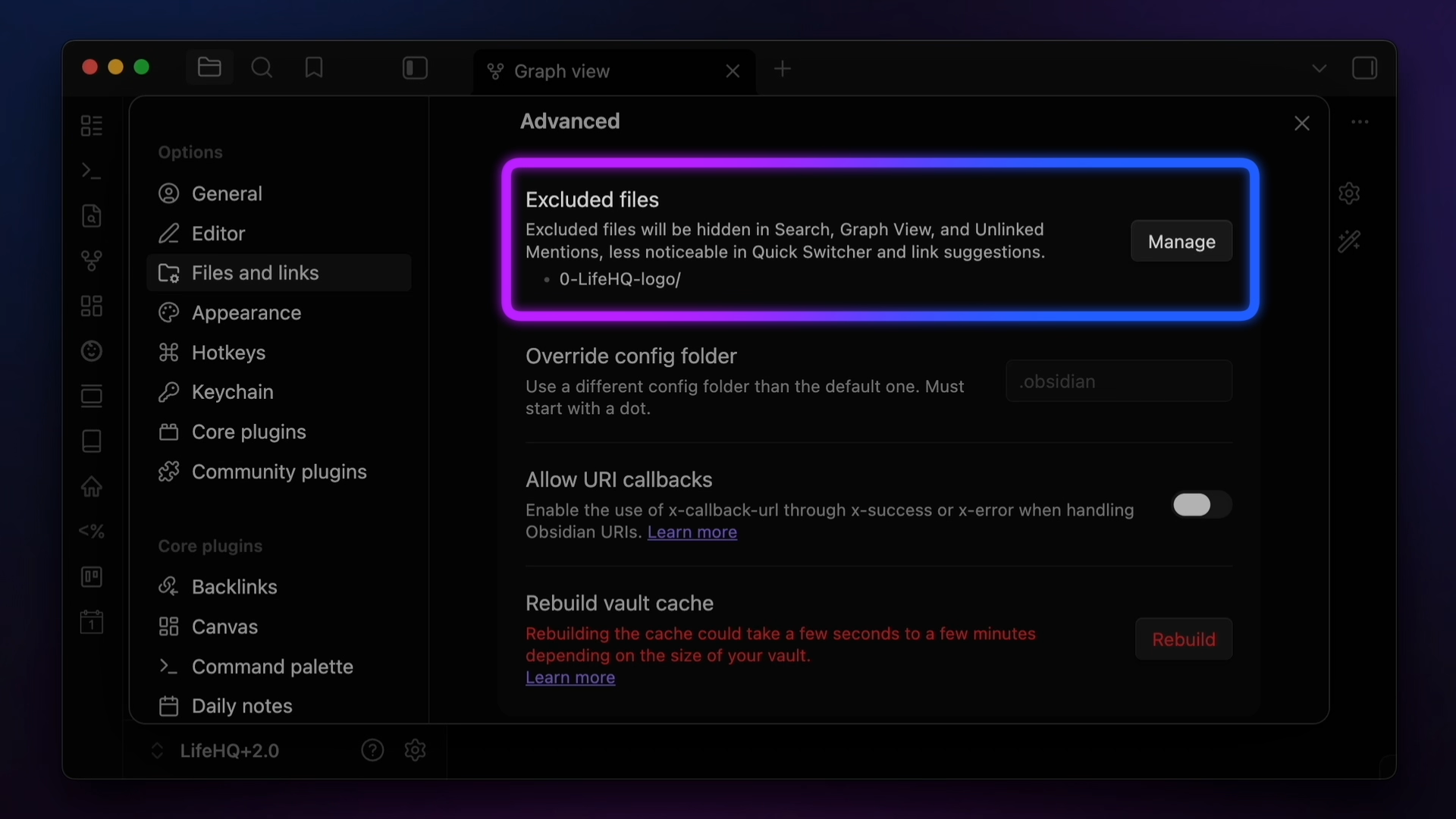
Overall, the performance of the app has improved greatly over the years, and it's not just the Graph View where you can notice this. Even in last year's report card, I mentioned that occasionally Obsidian would reach its limit on my machine and show me a blank white screen after writing in it for a while. I'm glad to report I haven't experienced that in a very long time, even though I spend hours in Obsidian every single day and almost never close the app. Often, I forget that it's an Electron app, which says a lot about how snappy the desktop version is.
Overall, the community agrees, giving the desktop version an overall rating of 4.5. Alicia sums up how I feel perfectly, saying that
"I really love Obsidian, and the desktop versions is the best way to use it." - Alicia
Christopher makes a good point, though:
"While the Obsidian desktop app is solid, the onboarding experience is not very good for new users." - Christopher
That's kinda why my channel exists, to be honest. I also struggled with Obsidian when I first started using it, as features like dragging things into the sidebars are not obvious or intuitive. Once you get the hang of the app, though, it's pretty incredible what the desktop version allows you to do.
📱Mobile: ⭐⭐⭐
To be fair, the mobile version of Obsidian has gotten a lot better recently. Version 1.11 added a whole bunch of new mobile features, like widgets for the Lock screen, Home screen, and Control Center, and direct integration with Shortcuts and Siri on iOS.
Unfortunately, there's still a fundamental issue with Obsidian on Mobile: the app has to load in order for you to do anything.
For example, let's say you want to use one of the new widgets or Shortcuts to capture a new note to Obsidian. After you tap the widget icon, the full Obsidian app opens and loads your entire vault. If you have your Obsidian vault set to open to a specific note (like I do for today's Daily Note), it then opens and loads that note before creating the new note in your vault and letting you type your text. Which means that Obsidian iOS still just doesn't work well for quick capture.
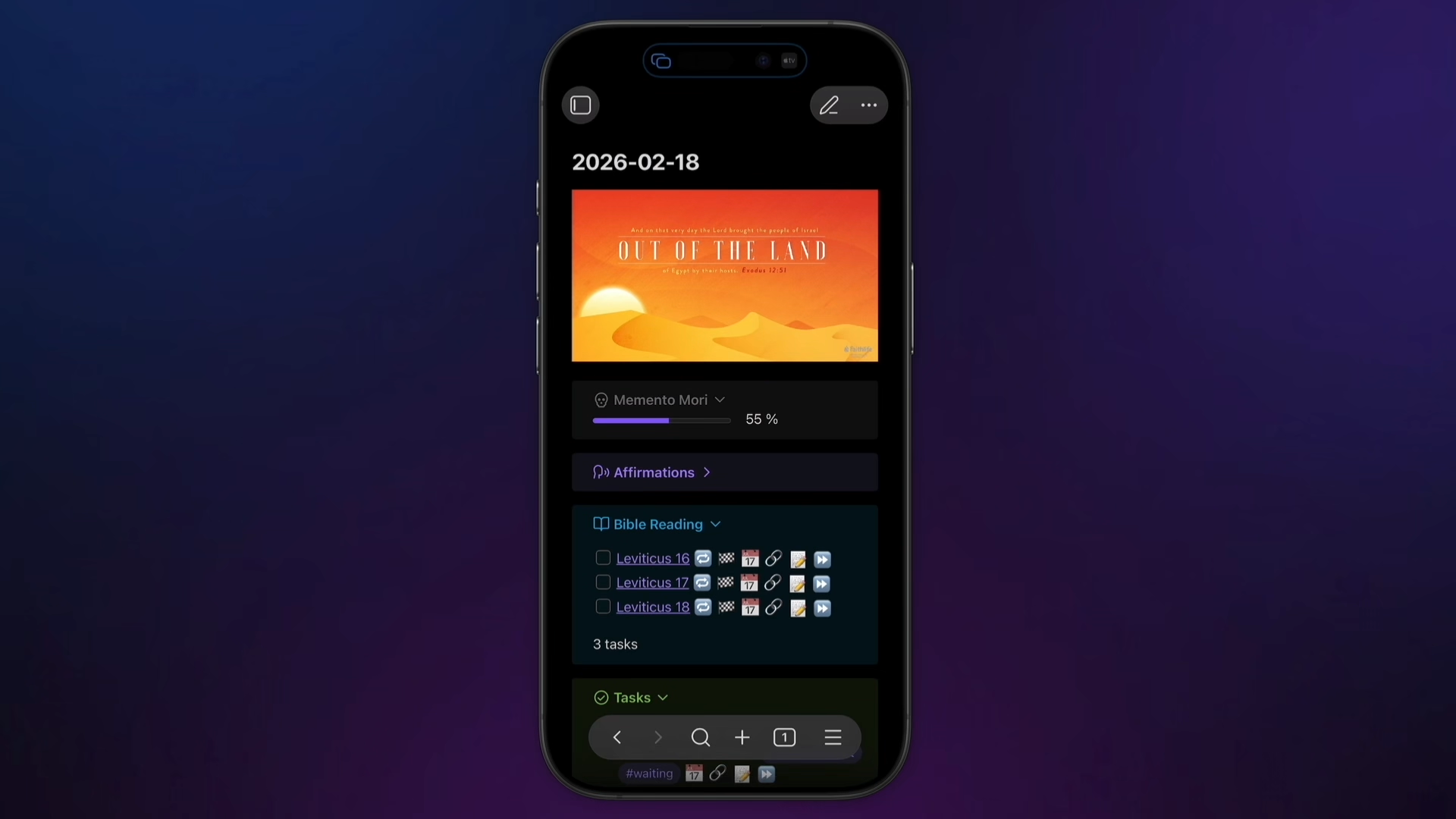
Looking at the community feedback, I'm not alone in feeling this way. Jacq says:
"Capturing to Obsidian on mobile is still awkward and kludgy" - Jacq
Max says:
"Despite the recent improvements to speed and quick capture, the friction is still to high and cumbersome for mobile interfaces." - Max
The overall community Score for Obsidian mobile was 3.1, revealing what I believe is a true identity crisis moment for the Obsidian mobile app.
Personally, I believe that Obsidian on a mobile device cannot be both good at quick capture (which is what I'd really like to use it for) and have full feature parity with the desktop version. I think these use cases might just be incompatible. Fortunately, there's a ton of good options to bridge the gap. I personally use Drafts for quick capture, but Funnel is also a great option for capturing your text and then sending it to your Obsidian vault after the fact with an export action.
The other thing to note here is that while Obsidian now has native widgets and Shortcuts support, it is very basic. There are not a lot of useful ways I can think of to use the built-in actions, but fortunately, there are some great options if you want real widget and Shortcut support. I love Actions for Obsidian by Carlo Zottman and use it every day as part of my journaling workflow, and Widgets for Obsidian on iOS lets you run actions from your widgets in addition to viewing and creating notes.
🔌 Core Plugins: ⭐⭐⭐⭐
Core plugins are basically Obsidian features that ship with the app that you can toggle on or off depending on your workflow. Just turn off the features you don't want to use in the settings, and they're removed from your Obsidian interface. This lets you dial in the app exactly the way you want it, and lets you clean up features that you're never going to use.
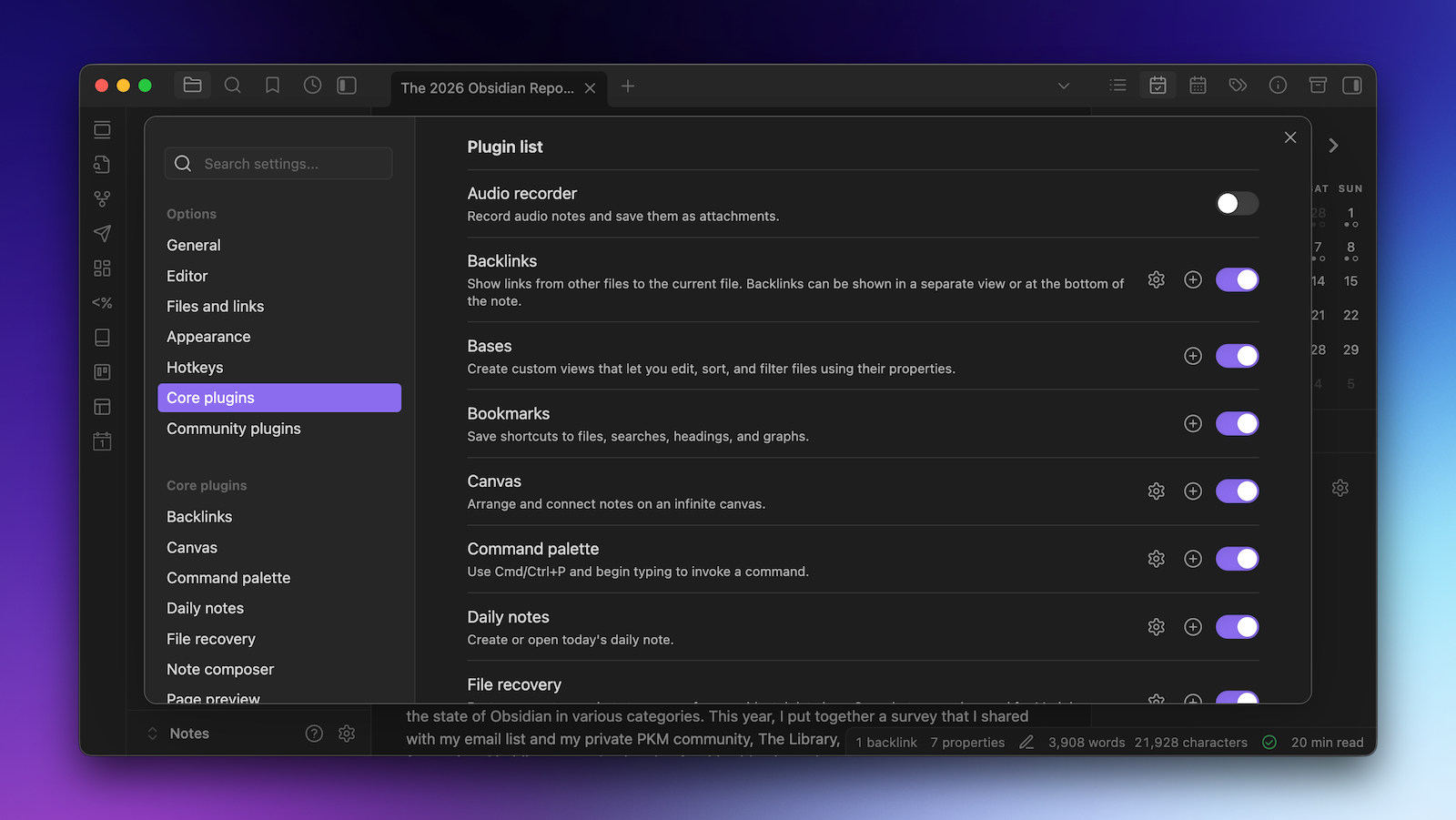
I think the idea of Core plugins is pretty brilliant, and the list of available Core plugins continues to grow. The most recent core plugin to be added is Bases, which actually has its own category this year because it's such a big addition, but as Scott says:
"The Core plugins provide a massive amount of utility." - Scott
This is reflected in the community score for this category, which was 4.4, and one of the highest overall categories on this year's report card. Chris says that
"The Core plugins are clearly thought through and do their respective jobs well." - Chris
But Christopher makes a good point:
"Overall, Core plugins have been good on desktop. But I do wish there were more Core plugins that catered to the mobile experience." - Christopher
The one nitpick I have with this category is the same one I had last year: I wish some of the existing Core plugins would get some TLC. The obvious example is Daily Notes, which goes together with the Calendar plugin like peanut butter and jelly. Liam Cain, the developer of the Calendar plugin, is even listed on the Obsidian team page, so I'd love to see the Calendar plugin baked into Obsidian and be an option to toggle on within the Daily Notes plugin. I also feel like the idea of Periodic Notes for weekly, monthly, quarterly, or yearly notes should also be baked in at this point, and the Periodic Notes plugin happens to be developed by the same person.
⚙️ Community Plugins: ⭐⭐⭐⭐⭐
Community plugins are Obsidian's killer feature. These third-party add-ons allow you to extend the functionality of Obsidian in some pretty incredible ways. As Bodie says:
"It’s simply mind-blowing what you can turn obsidian into with a few Community plugins." - Bodie
The community score for Community plugins was 4.5, matching the desktop for the highest scoring category this year. Jorge says:
"Community plugins are what make Obsidian shine." - Jorge
I completely agree, though I do wonder about the long-term sustainability of some plugins. Some have been around forever and continue to get regular updates, like Excalidraw, which now has over 5 million downloads and seems to get updated every couple of days.
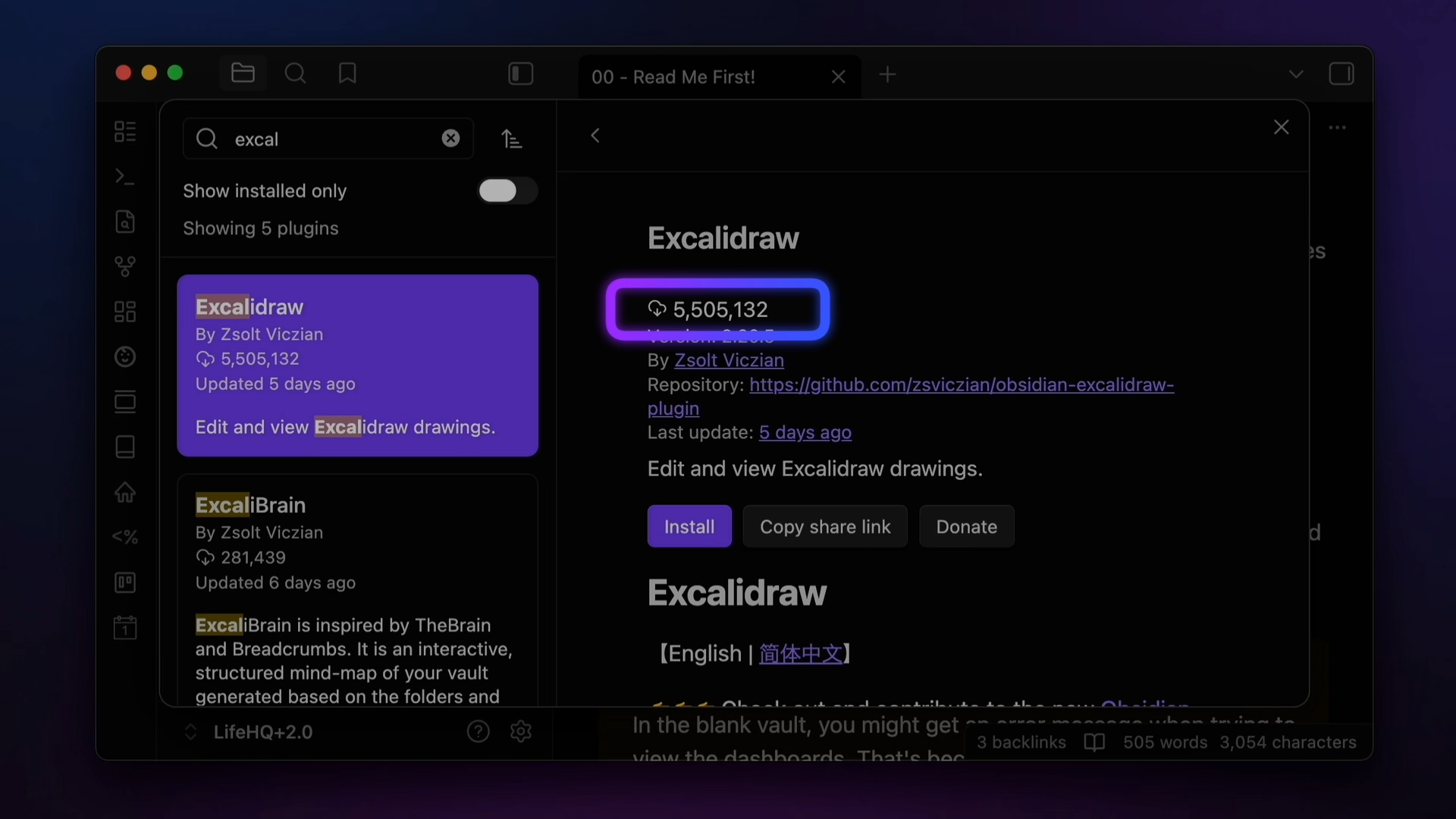
But there are lots of Community plugins that lose steam, which is only natural since most Community plugins are completely free to use. I've seen nothing but support from the community whenever a plugin does get abandoned, but still, it's something you need to be aware of, as is the security risk. These are Github code snippets you're installing after all, so it is technically possible to have malicious code be inserted. That's what Chris worries about, who says:
"I would give 5 stars except for the security risk." - Chris
There is a review process plugins have to go through in order to be added to the Community plugins directory, and that's good enough for me, but if you're security-conscious, you'll probably want to dig a little further into what the plugins you install actually do. But overall, the Community plugins are incredible.
🤖 Automation: ⭐⭐⭐⭐
The automation story in Obsidian is a bit complicated. The app itself doesn't offer a whole lot in terms of automation possibilities, but the fact that your vault is simply a folder full of Markdown files opens up some interesting possibilities.
One thing that Obsidian does give you is support for callback URLs, which enables two-way communication between Obsidian and external apps or scripts. This allows actions initiated from outside Obsidian to return data back to the originating app, and if you take the time to build them into your workflows, you can do quite a bit with these. Kyle says:
"Callback URL functionality is amazing and continues to be essential for my use of Obsidian."
Chris goes as far as to say that automation in Obsidian is:
"Superb. With a bit of Javascript knowledge, Templater, Dataview, and other automations tools, it's rare to find something that's not possible." - Chris
But it's not all puppies and rainbows. The community score for this category was actually only a 3.6, and Oogie says:
"Automations are hard to set up and a bit fiddly to use." - Oogie
The bottom line is that automation in Obsidian could be a lot better. While recent updates have added built-in support for Shortcuts on macOS and iOS, if you really want to get serious about Shortcuts automations, you'll need a third-party tool like the previously mentioned Actions for Obsidian.
One very recent addition that definitely boosts this score is the official support for Obsidian via the Command Line, which lets you do just about anything in Obsidian right from the Terminal.
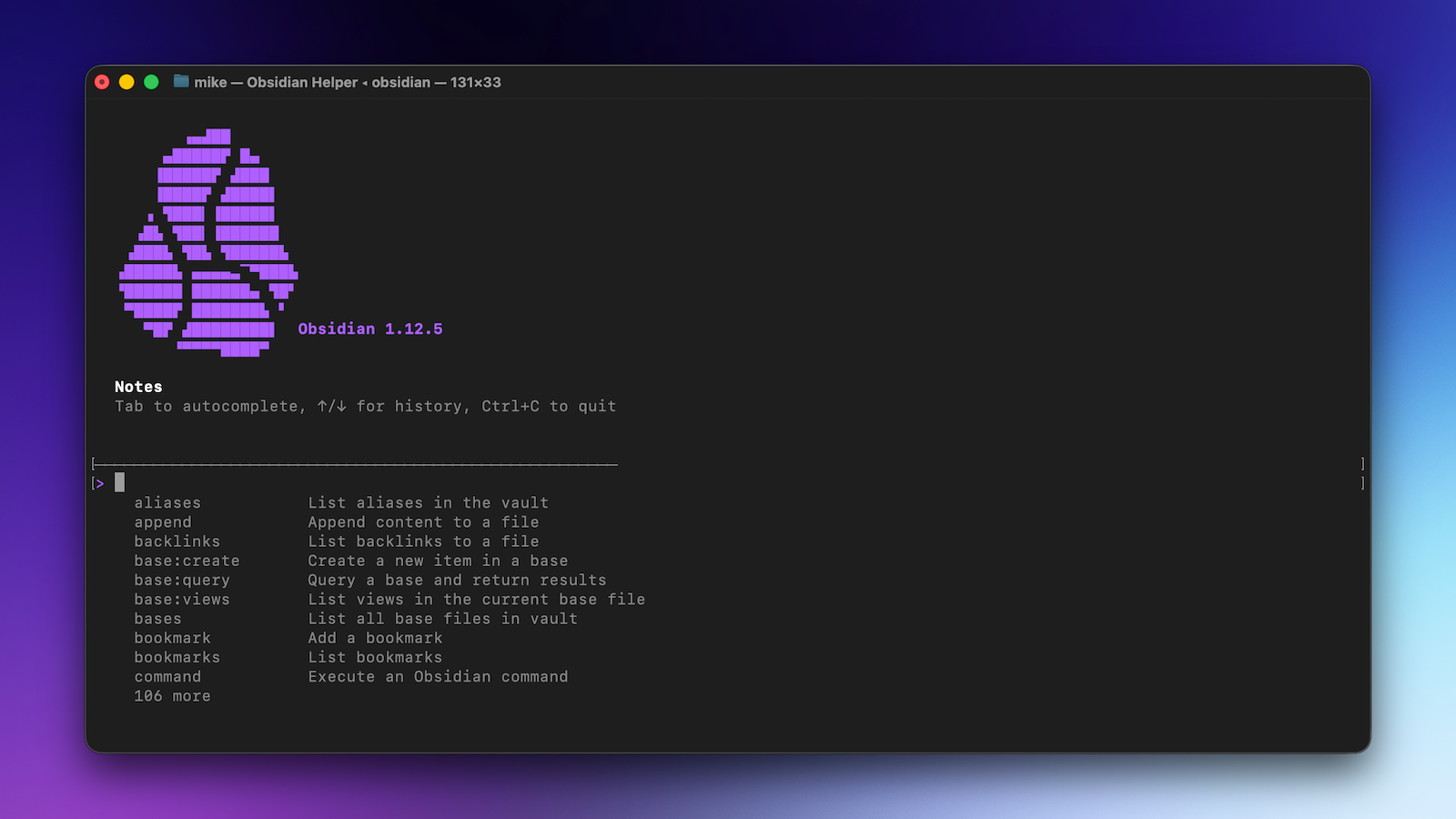
It's definitely not for everyone, but if you're technical enough to use the Command Line, this is pretty cool, and a lot more doors are opened if you're willing to put in the work to get an MCP server set up on your machine. For example, I used MCP via Claude on my Mac to update the formatting of over 1400 Daily Notes at once. Just be careful, because there's no simple undo for some of this stuff. And overall, that's a little bit of a problem: the automation possibilities are there in Obsidian, but they're not easily accessible to the average user.
🖼️ Themes & Customization: ⭐⭐⭐
I love the idea of custom themes in Obsidian, but in practice, I almost never recommend people use them. In fact, every couple of weeks, I get an email from someone who is having a problem with something acting wonky in their Obsidian vault. And when I try to reproduce the issue, I can't do it. So I ask if they have any third-party themes installed, and almost always, it's one of these themes that is causing the issue. The minute that they switch back to the original theme, things work as intended.
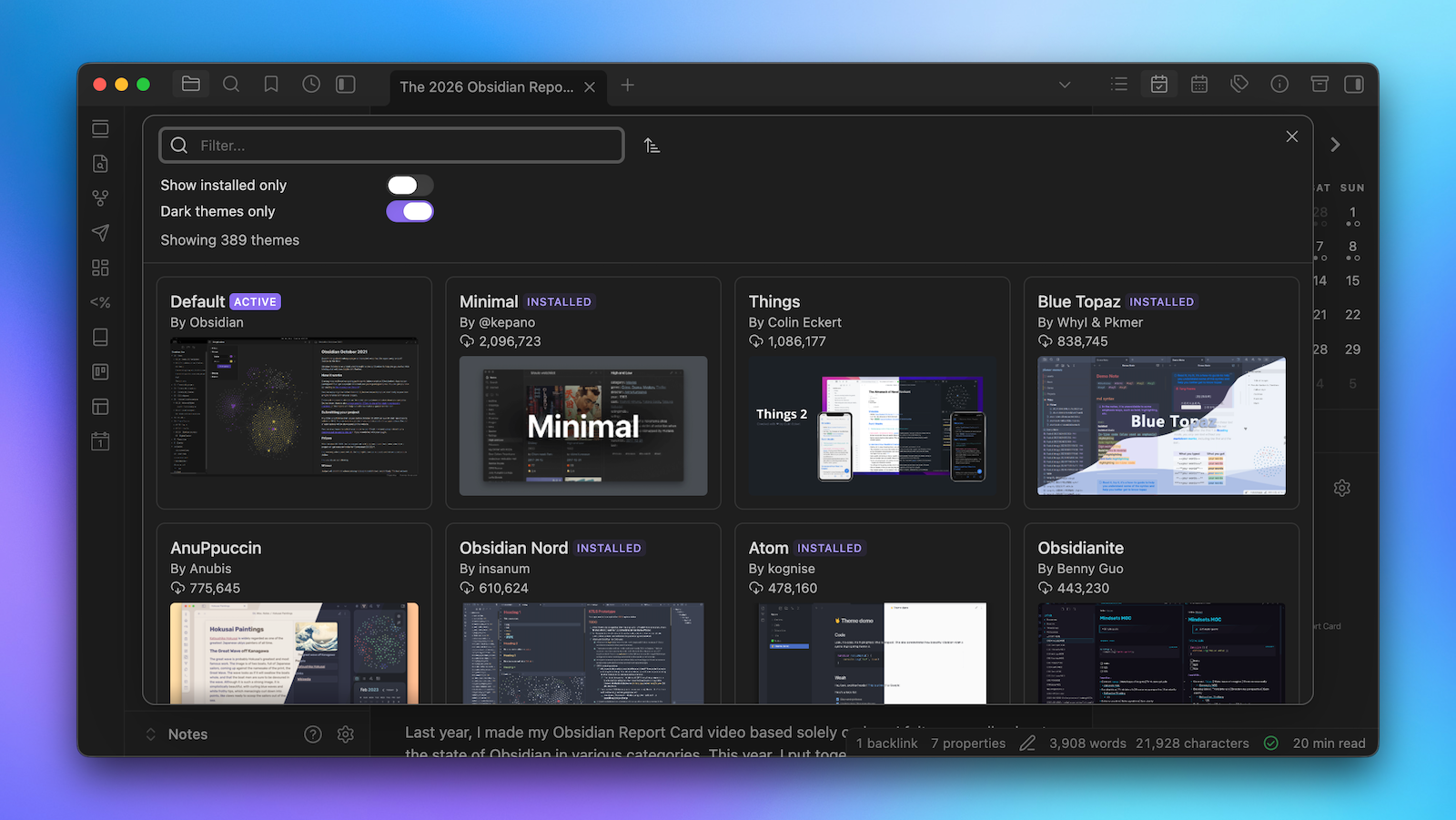
The problem is that Obsidian updates often break things in custom themes. This makes the job of keeping them working properly a difficult and a bit thankless, as most themes, like Community plugins, are distributed for free. This leads to some amazing-looking themes being released but unsupported. As Mark says:
"There are several amazing themes available, but it is sad that many of them eventually become abandonware." - Mark
Christopher also points out that:
"There are some nice themes available, but even the nicest themes don't look as good as other plain text apps like NotePlan or Bear." - Christopher
The community score for this category is 3.7, which isn't bad, but not great either. Personally, I think the app has come a long way in terms of the look and feel of the app, and if you can get away with not using a theme, that's probably the best option. But I do like how you can customize individual parts of the app with CSS snippets, and I have lots of these enabled in my vault.
🎨 Canvas: ⭐⭐⭐
Canvas is a core plugin, but it adds an additional file type to Obsidian and some really interesting new functionality, so just like last year, I've decided to break this out into its own category. And to be honest, my concerns about this not really making much progress since it was released still hold true. There's lot of things that should be baked into Canvas that are still missing, and Canvas support for Publish has been on the roadmap for a very long time.
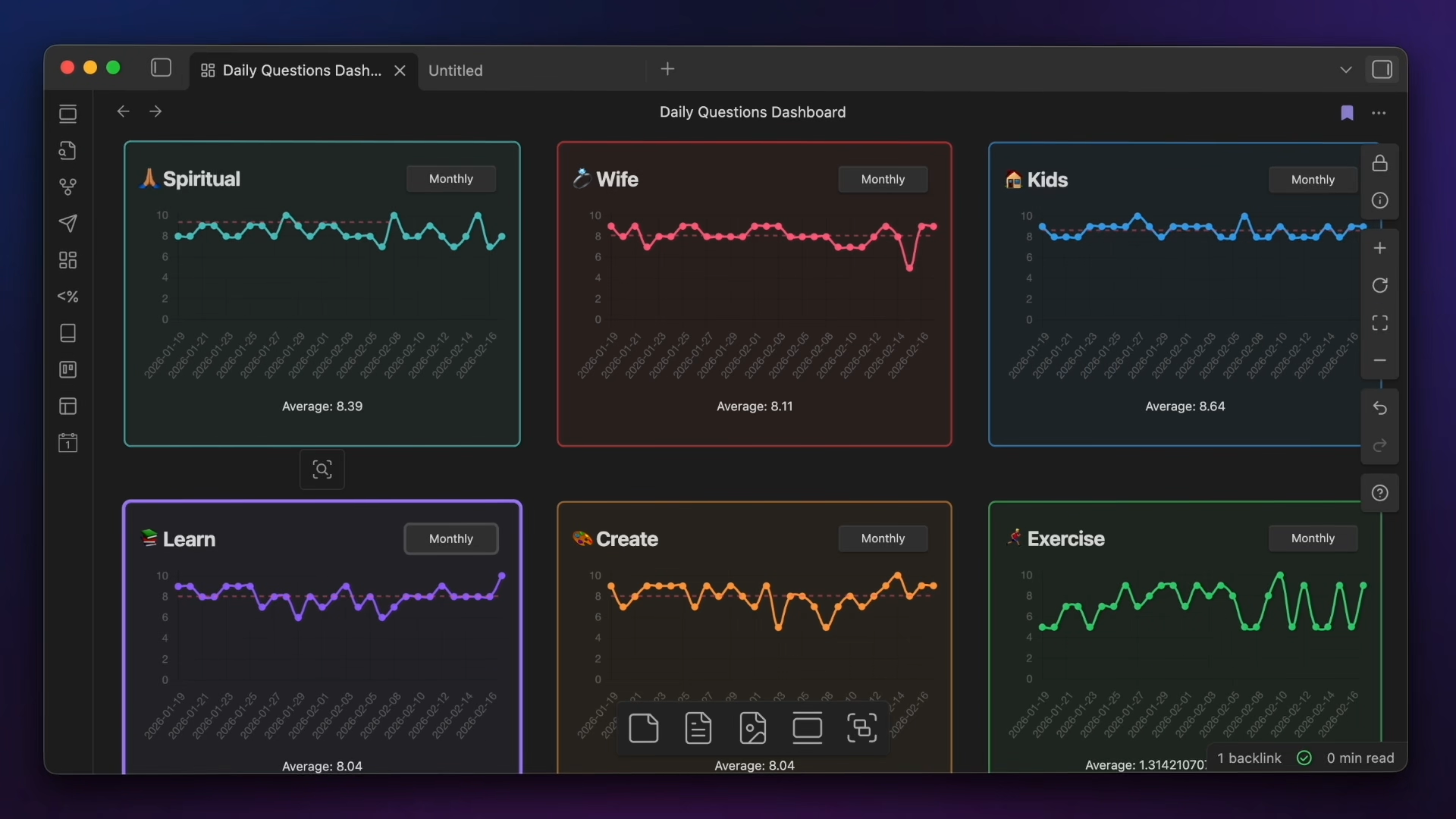
But there is one killer feature Canvas has: the ability to create killer dashboards to visualize the data inside your Obsidian vault. For example, I recently revamped my journaling dashboards with an assist from Claude:
And as Steve says:
"Canvas makes creating powerful dashboards very easy to do." - Steve
Dayo also said that:
"I was heavy into canvas last year because I was ideating my business, and it was extremely useful." - Dayo
I tend to agree, the ability to use code snippets inside of cards in Canvas is really powerful.
Overall, though, Canvas is a bit long-in-the-tooth and in need of an update. The overall community score was only 3.5, and as Chris says,
"Canvas could be phenomenal but it's lacking a bunch of options that would make it click for me... would love to see this plugin developed further." - Chris
That encapsulates Canvas in a nutshell. The infinite canvas it gives you inside your vault is incredible but fiddly, and it's hard to get things looking just the way you want. There's a lot of power here, but also quite a few rough edges that I hope get smoothed out in the near future.
🗃️ Bases: ⭐⭐⭐⭐⭐
Let's cut to the chase: Bases is an absolute game-changer for Obsidian. This core plugin is still a bit of a work in progress, but as Claude says:
"Bases is the best thing ever added to Obsidian...it improves it 100%" - Claude
In a nutshell, Bases lets you view the data in your notes in different ways using different views. There are a handful of views available right now, including List, Table, and Card views, but the great thing about Bases is that it's all built on top of your note properties.
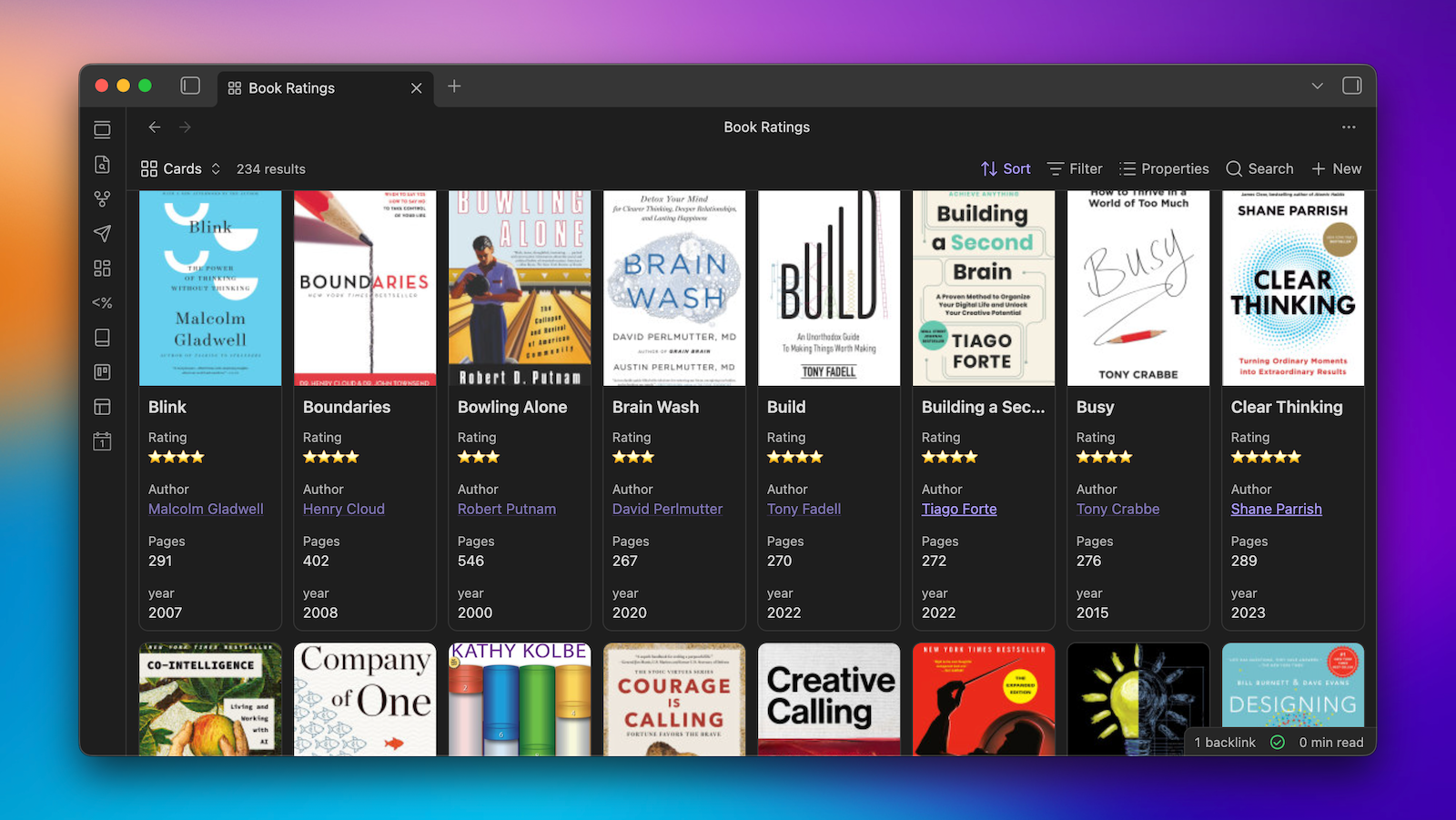
With the release of Bases, I feel like we finally can see the big picture with Obsidian Properties, which were a little bit confusing for new users when they were released last year. But once you see how Bases uses them to filter and sort your notes according to the built-in metadata, it starts to become clear how you can use these in some pretty powerful ways.
The community is also very impressed with Obsidian Bases, giving it a score of 4.4. The one thing that holds that score back from being even higher I believe is that it's not exactly easy to get started with Bases for new users. As Oogie says,
"The capabilities are great but there needs to be better documentation...it has a steep learning curve and is also missing some key building blocks." - Oogie
I also think Bases gets a lot more universally useful when a few other features get added, like the Kanban and Calendar views that are currently on the Obsidian roadmap, and support for Obsidian Publish so that you can create public sites that utilize the power of Bases.
Overall, Bases is the most exciting thing to be added to Obsidian in quite some time, and I can't wait to see how it matures and what workflows it enables.
🔄 Sync: ⭐⭐⭐⭐⭐
You technically don't need Obsidian Sync in order to sync your notes between devices, but I highly recommend it. True, you can sync your files other ways, but with Obsidian Sync, you get end-to-end encryption, version history, and the ability to sync across all available platforms, including Mac, Windows, iOS, Android, and even Linux.
For $4 USD per month, you get 1GB of total storage and 1 month of version history for a single vault. There is a limit on the file sizes you can sync of 5MB, but that increases to 200MB with the Sync Plus plan, which is $8 USD per month. This plan also gives you 10 synced vaults, 10GB of storage (upgradable to 100GB), and 12 months of version history.
It may have been a rocky start for Sync, but it's improved quite a bit over the years, and as Bodie says:
"Sync is much more solid than it was previously. It's gotten much faster, and I almost never see any lag anymore." - Bodie
The community gave Sync a score of 4.6, with Mark calling it:
"Rock solid reliable. Boring, but that's a good thing." - Mark
If you want a simple, secure, and reliable way to sync your notes, Obsidian Sync is a worthwhile investment.
🌐 Publish: ⭐⭐⭐⭐
Publish is a service that lets you select notes from your Obsidian vault and publish them directly to the web. It's not flashy, and it doesn't have nearly the customization options of other website platforms. But it does give you a local graph on your site that lets you link together related pages and even lets you password-protect your site if you want to keep it private. Christopher says:
"Publish was what finally got me publishing on the internet regularly. Being able to publish from within my vault is huge for me." - Christopher
Max is another one who uses Obsidian Publish, saying:
"My whole blog is powered by Publish. It is in need of serious TLC thogh, like a proper RSS feed, better custom pages, and promised support for plugins like Bases and Canvas." - Max
Overall, the community gave Publish a score of 3.7, though a fair number of respondents admitted they didn't have much experience with this core plugin. It's not for everyone, but it does give you an easy way to publish your notes publicly. And if you want to get a feel for what's possible with Publish out of the box, just check out the Obsidian Help site, which is built using Publish:
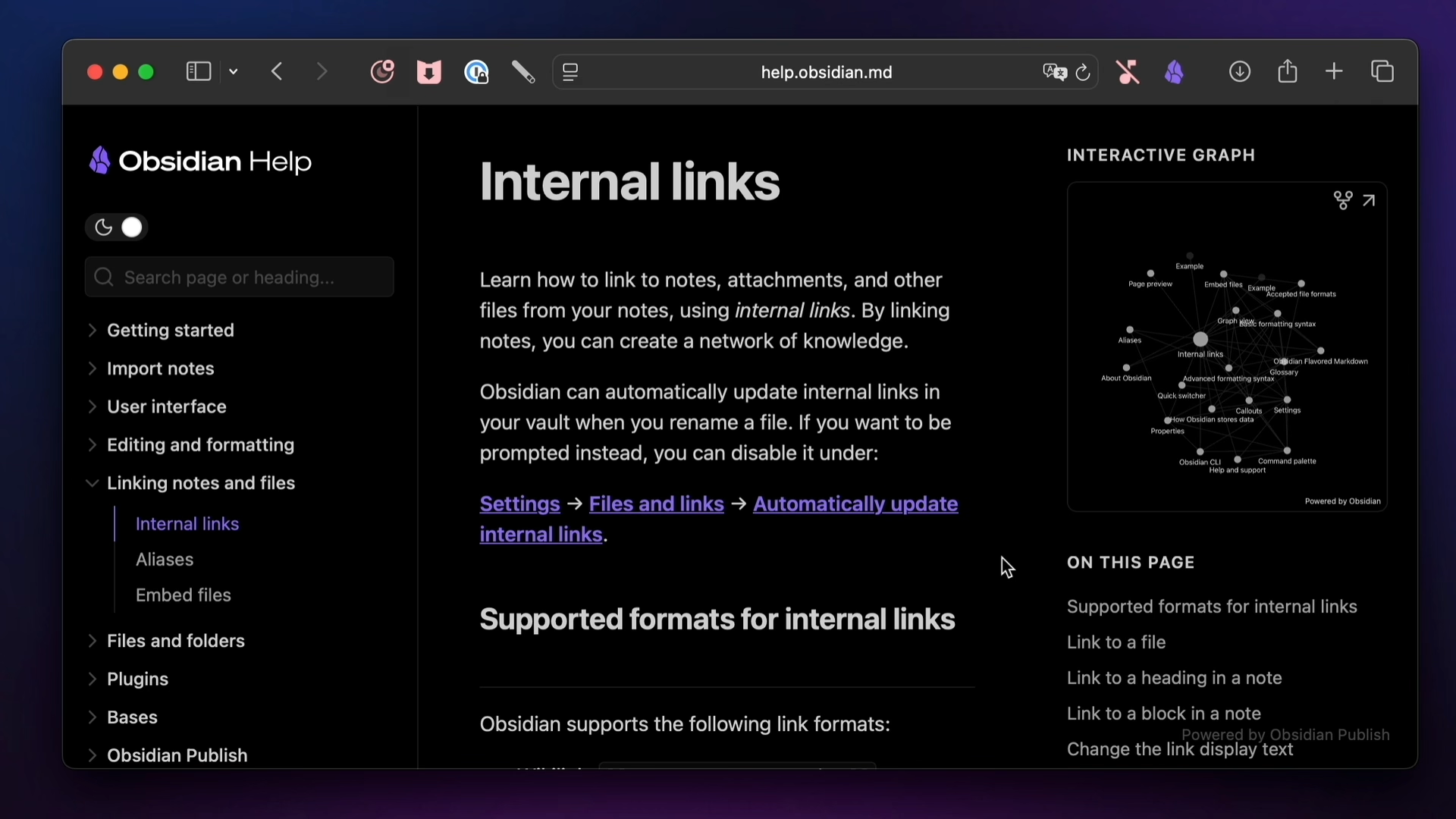
If you have a need for a public wiki-style site, Publish might be just what you need for $8/month.
Summary
Alright, so that's all 10 categories for the report card, but before I share a few closing thoughts, let's summarize everything so far:
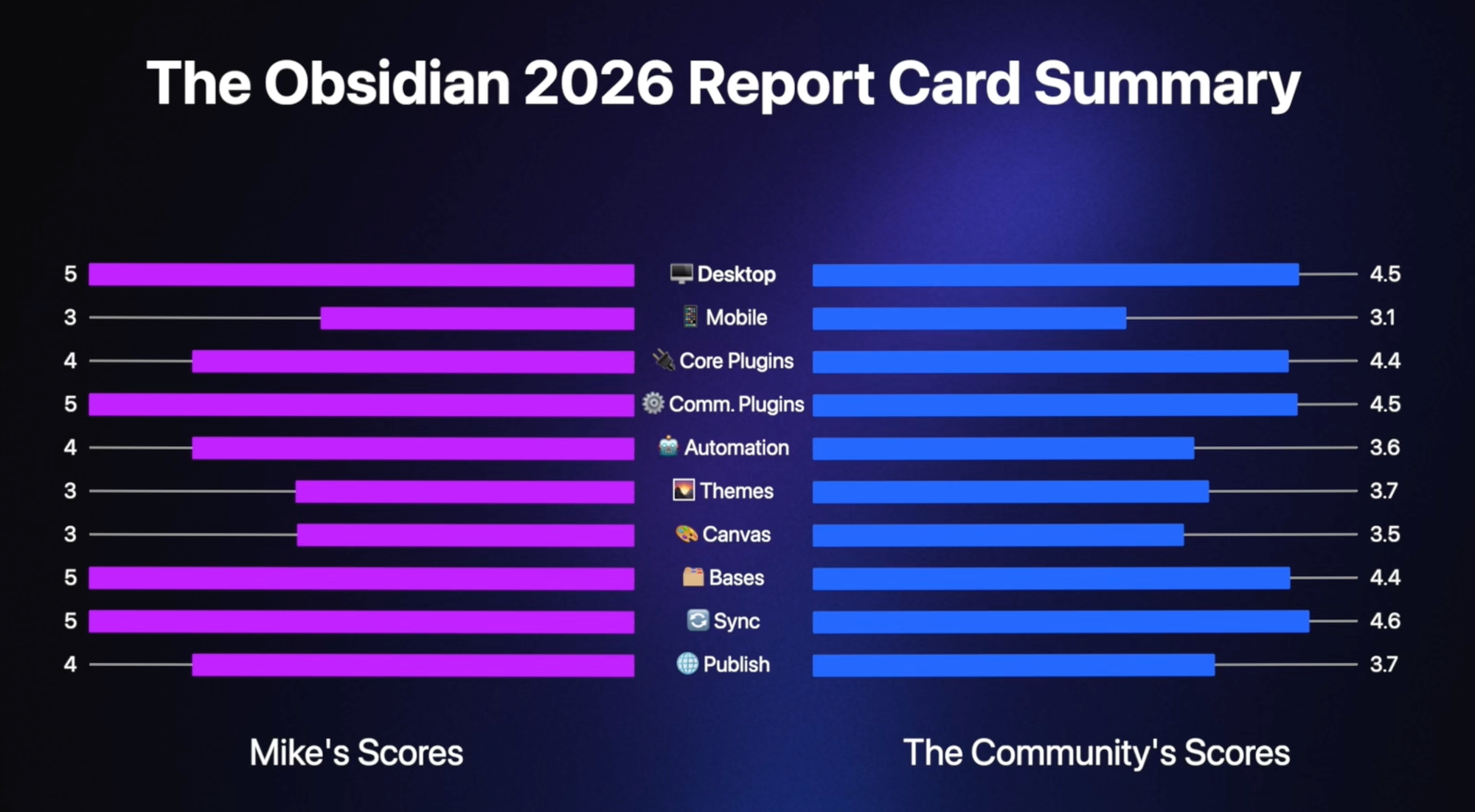
- I gave the Desktop version ⭐⭐⭐⭐⭐ & the community gave it a score of 4.5
- I gave the Mobile version ⭐⭐⭐ with a community score of 3.1
- I gave Core Plugins ⭐⭐⭐⭐ & it got a community score of 4.4
- I gave Community Plugins ⭐⭐⭐⭐⭐ with a community score of 4.5
- I gave Automation a score of ⭐⭐⭐⭐ & it got a community score of 3.6
- I gave Themes & Customization ⭐⭐⭐ & the community gave it a score of 3.7
- I gave Canvas ⭐⭐⭐ with a community score of 3.5
- I gave Bases a score of ⭐⭐⭐⭐⭐ & the community gave it a score of 4.4
- I gave Sync a score of ⭐⭐⭐⭐⭐ while the community gave it a score of 4.6
- I gave Publish a score of ⭐⭐⭐⭐ while the community gave it a score of 3.7
Overall, a pretty solid report card for Obsidian in 2025. But before we go, I have a few closing thoughts and a few final anecdotes to share.
Conclusion
So overall, 2025 was a pretty strong year for the Obsidian team. Bases is incredible and keeps getting better, the mobile versions took a big leap forward but still has a ways to, and the desktop app continues to improve. As Scott says:
"The updates and improvements of the last year have been insanely good. I can’t believe, after all this time, the level of continued development of both the team and community." - Scott
Stephen says:
"I can't now imaging not having this app." - Stephen
And I totally agree. Obsidian is so much more than just my favorite app. It's given me the ability to craft my own PKM workflows in a way that I didn't think was possible. I know a little bit of HTML and some CSS, but I'm not a developer. Still, I'm a little bit astounded at some of the no-code solutions I've been able to build in Obsidian, and the fact that the app is 100% user-supported is pretty amazing. I love the "file over app" philosophy the app is built on, and agree completely with the manifesto, which states that everyone should have the tools to think clearly and organize ideas effectively.
Overall, I think Obsidian is in a really good place, and I believe it will be around for a very, very long time. And hopefully, I'll be able to keep making videos about Obsidian for a very long time as well.


