

Thanks for your interest in the Practical PKM Starter Vault!
Download the latest version here.
The Starter Vault uses Obsidian's Bases core plugin, so make sure you have Obsidian 1.9.10 or later installed. New to Obsidian? It's free at obsidian.md.
1. Unzip the download
Unzip Practical PKM Starter Vault.zip: double-click it on a Mac, or on Windows right-click it and choose Extract All. Then move the Practical PKM Starter Vault folder somewhere you'll keep it, like your Documents folder.
2. Open the folder as a vault
The first time you open Obsidian, you'll see this window. Next to Open folder as vault, click Open, choose the Practical PKM Starter Vault folder, and click Open.
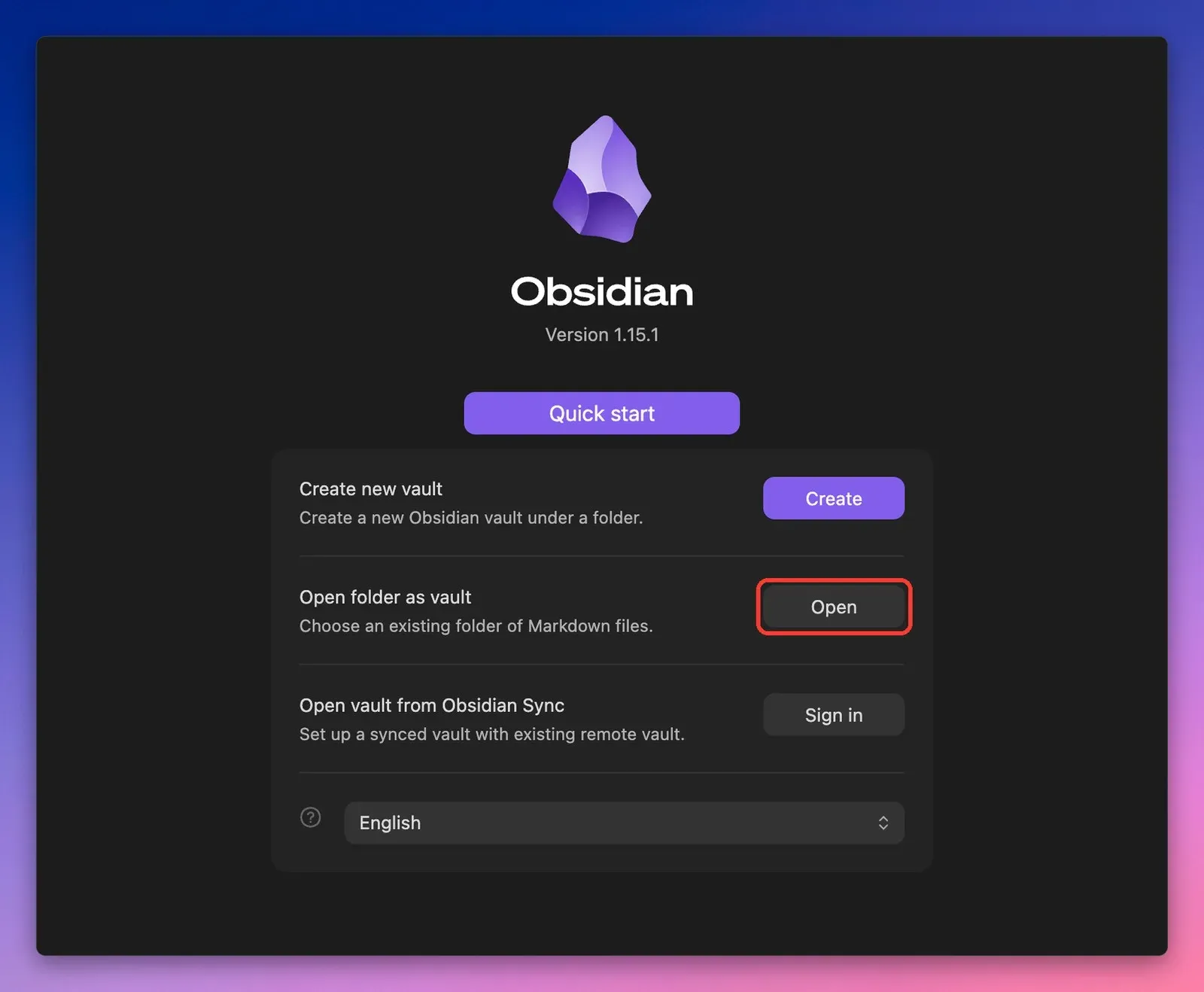
Already using Obsidian? Choose File → Open Vault… (or run Open vault… from the command palette) and pick the Practical PKM Starter Vault folder.
3. Trust the vault
Obsidian asks whether you trust the author of this vault. Click Trust author and enable plugins.
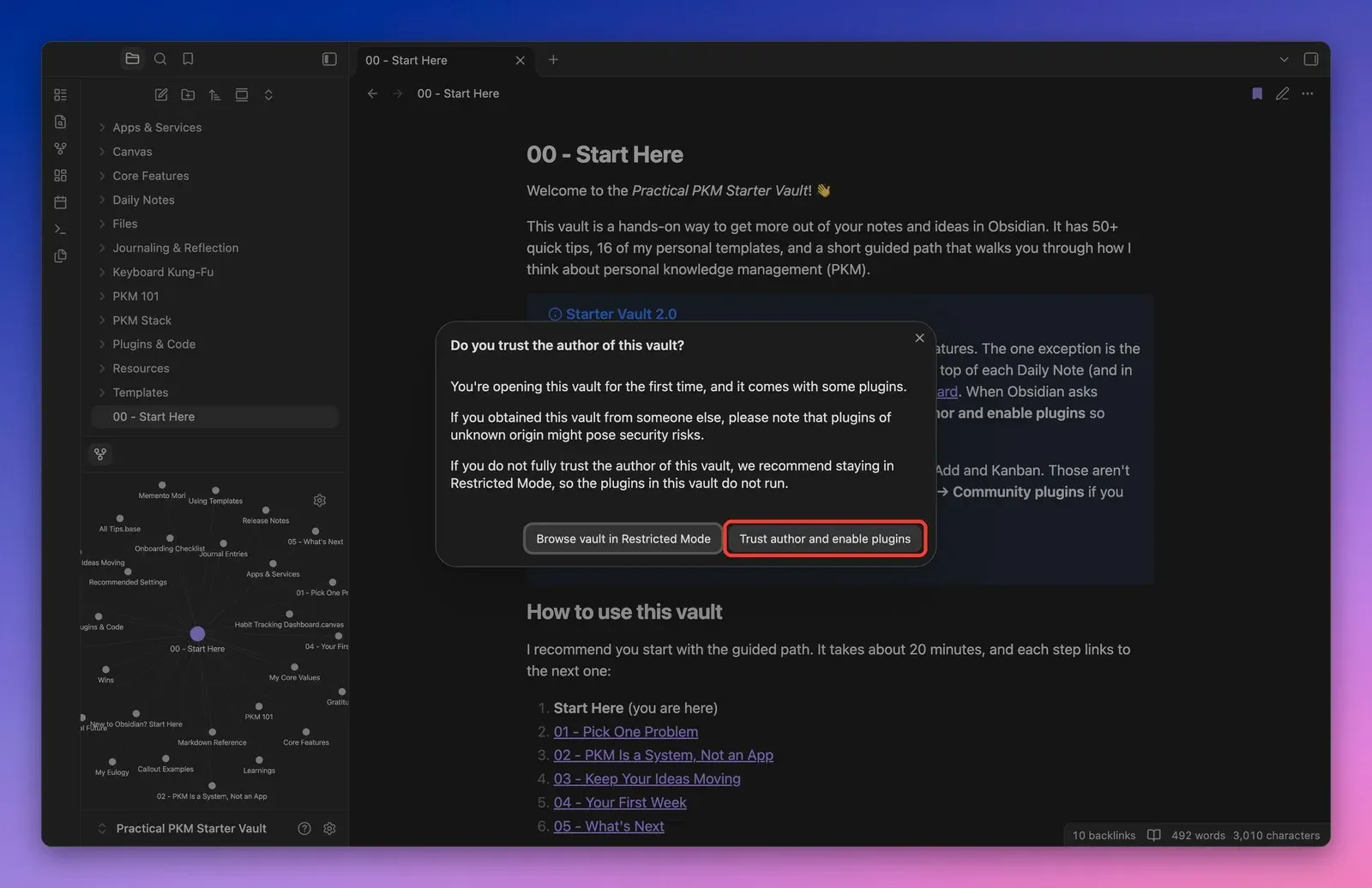
The vault comes with one community plugin, Dataview. It powers the Memento Mori bar at the top of each Daily Note and the Habit Tracking Dashboard. Everything else uses Obsidian's built-in features, so it works either way.
4. Start with 00 - Start Here
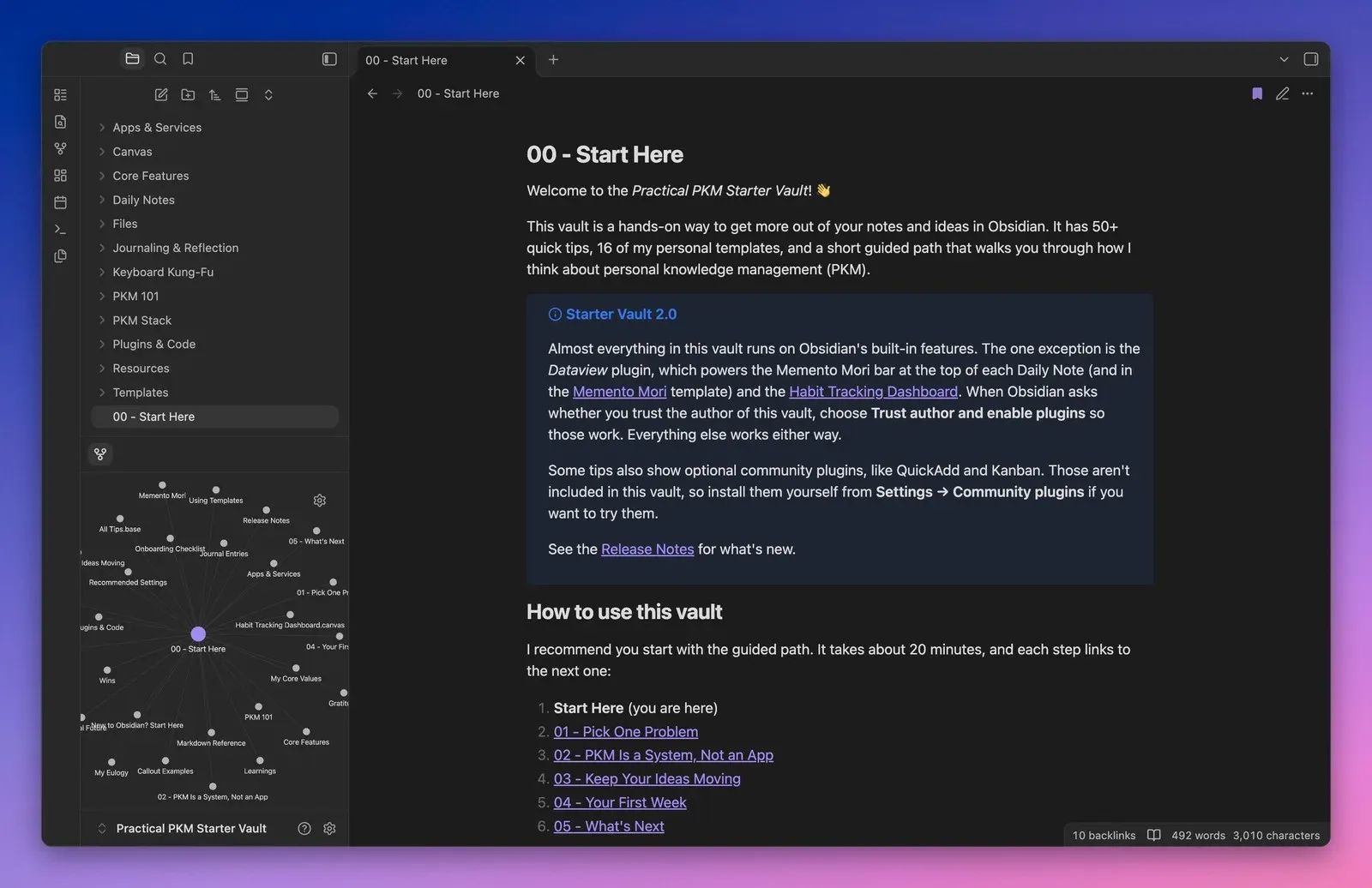
Open 00 - Start Here, just below the folders in the file list. It walks you through a short guided path that takes about 20 minutes, and each step links to the next one.
Questions? Email me at support@mikeschmitz.com.